● Agents

Give your AI agent motion capture.

Connect Mocai to the assistant you already use, sign in once, and ask for the motion you need. Your agent uploads the footage, waits for the capture and hands back FBX, GLB, USD or BVH files.

https://api.mocai.ai/v1/mcp
Your agent
Capture the three dancers in dance.mp4 and retarget them to UE5
mocai · process_videos
✓ Take ready: 3 performersFBX + UE5 rig saved to mocai-out/
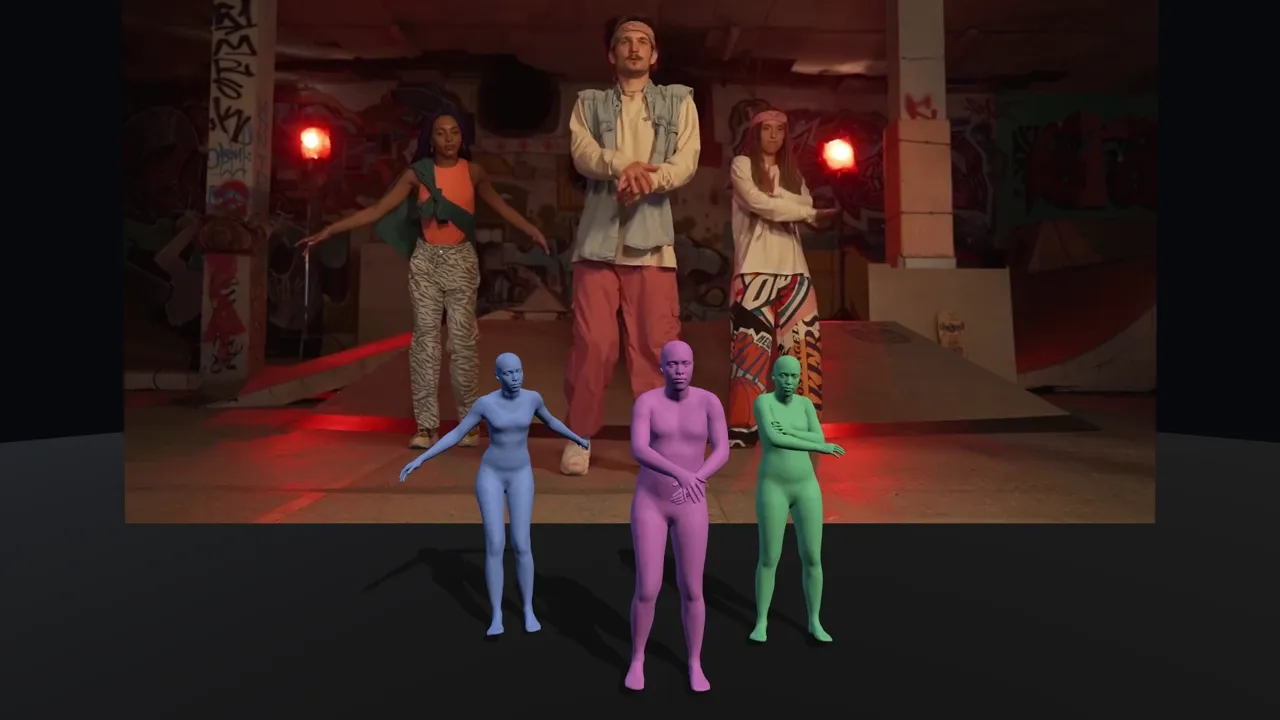
Three dancers in a skatepark, each reconstructed by Mocai as a colour-coded 3D body
dance.mp4 · 3 performers · FBX + UE5 rig
Works with

And any other app that supports MCP, the open standard for connecting AI to tools.

● Two ways in

Pick the one that matches your files.

In a chat app

Claude, ChatGPT, Gemini, Grok

  • ✓ Add one URL and sign in, nothing to install
  • ✓ Check your takes, minutes and plan
  • ✓ Make any export format and get download links
  • – Can't open video files on your computer

On your computer

Claude Desktop, Claude Code, Cursor, Gemini CLI

  • ✓ Everything a chat app can do
  • ✓ Process the videos in a folder, start to finish
  • ✓ Exports land right next to your footage
  • ✓ One-click extension for Claude Desktop
● Step by step

Choose your agent.

A few clicks in the app you already use. You'll need a Mocai account; the free one works.

Chat apps
On your computer

Claude

claude.ai on the web, desktop and mobile
  1. https://api.mocai.ai/v1/mcp

Works on every Claude plan (the Free plan allows one custom connector). On Team and Enterprise, an Owner adds Mocai once for the organization, then everyone connects.

● Then just ask

Things to try first.

“How many minutes do I have left this month?”Any app
“Which of my takes from this week are ready?”Any app
“Make a Mixamo version of my latest take and give me the link.”Any app
“Export my last take as USD with the skinned mesh.”Any app
“Process every clip in ~/shoot as FBX, retargeted to UE5.”On your computer
“Turn kick.mp4 and spin.mp4 into GLB files with no mesh.”On your computer
● FAQ

Agents, answered.

What can my agent do with my account?

The same things you can do in the portal: upload videos and create takes, read your takes, generate and download exports, delete takes, and check your plan and usage. You see this list on the sign-in screen before you allow access.

Why can't ChatGPT or claude.ai process a video from my computer?

Chat apps run in the cloud and can't open files on your computer, so they can't upload your footage. Use Claude Desktop with the Mocai extension, or a coding agent like Claude Code, Cursor or Gemini CLI, and they handle the whole flow from your folder. In any chat app you can still check takes, make new export formats and get download links.

Does it cost anything extra?

No. Takes your agent creates count toward your plan's minutes like any other upload, on every plan including Free.

How do I disconnect an agent?

Open the Developers page in the Mocai portal and choose Disconnect next to the app under Connected apps. Its next request will ask you to sign in again. You can also remove Mocai from the app's own connector settings.

Can I use an API key instead of signing in?

Yes. Any MCP client that lets you set request headers can send Authorization: Bearer with a key from the Developers page to https://api.mocai.ai/v1/mcp. Scripts and CI can set MOCAI_API_KEY for the mocai CLI.

Point a camera. Ask your agent.

Start with a free minute of footage and have your first take moving in minutes.